Rachel Gates
Sound Designer, Audio Engineer, Composer

Hello!
I'm Rachel Gates, and I'm an upcoming graduate from Rensselaer Polytechnic Institute. I'll be completing my dual major in B.S. Music/Game Simulation Arts and Sciences (GSAS) this May. I specialize in audio engineering, sound design, music composition, and production. Here's a demo reel for some of my work:
Throughout university, I've honed my skills through both game and studio pipelines. I thrive when put in a group setting, and I'm not afraid to think outside of the box when it comes to my creative process (especially when making music or creating foley)! I love what I do, and resonate with transforming fiction into reality through the magic of sound.In my spare time, I am a bassist (both acoustic/electric) and percussionist who enjoys playing in various music groups ranging from jazz big bands, to small combos, to indie rock/alt. Whenever I'm not playing music or working in the studio, you can likely find me doodling, gardening, or tending to my indoor plants. :)
Projects

Lantern Light

Da(ta) Bus

Backseat Driver

Umbral Pursuit

Music & Tech 2 Project Blog


Overview
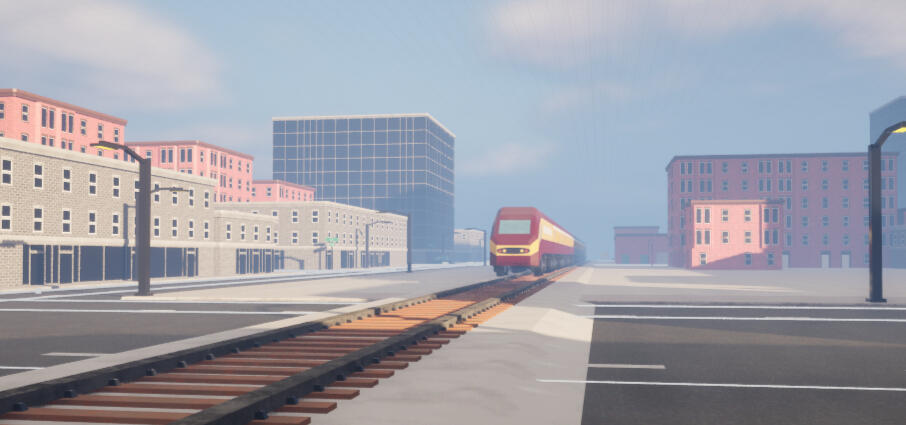
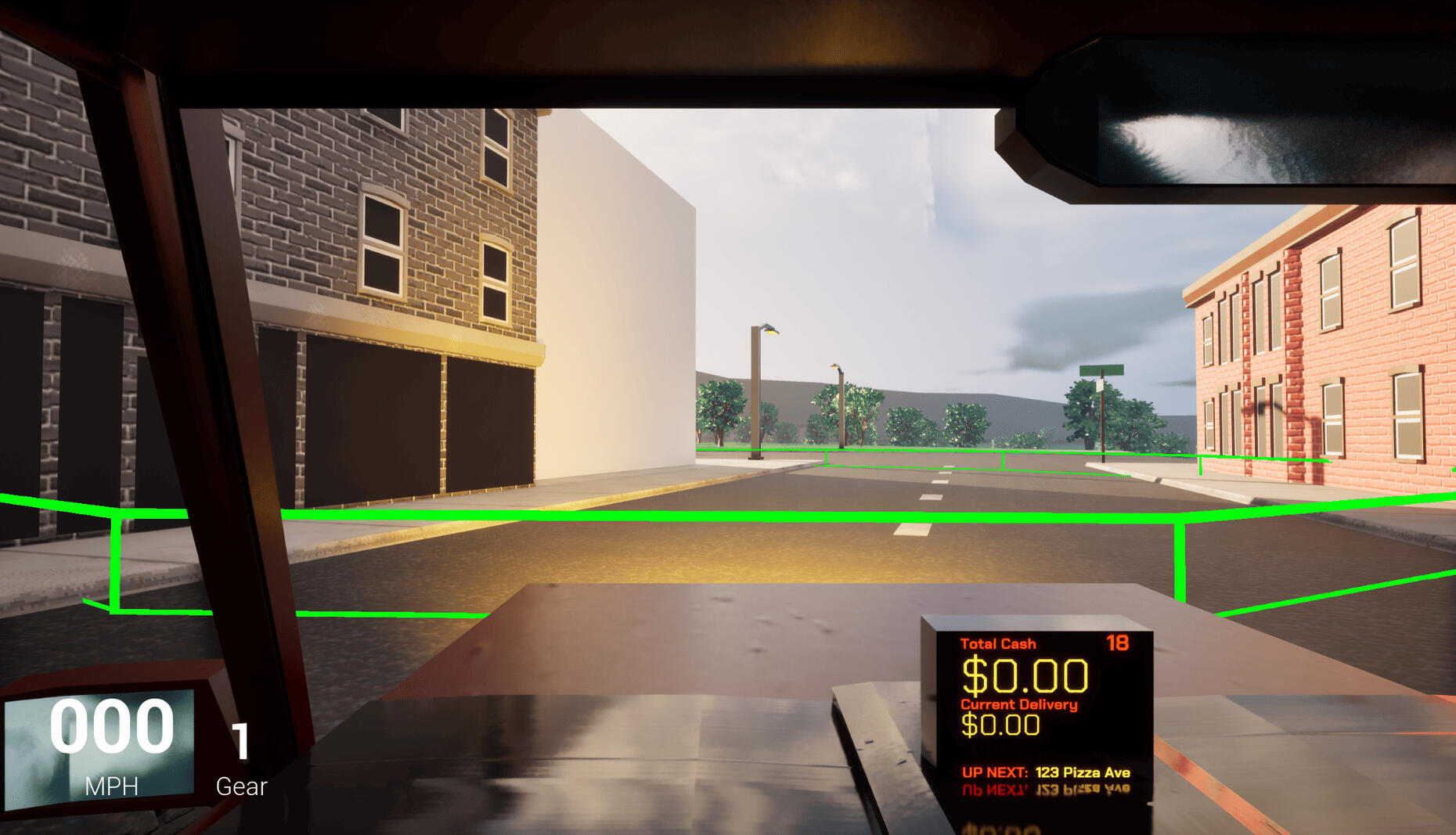
This game was created in Unreal Engine as a two-week project for Rensselaer Polytechnic Institute's experimental game design course. I created and implemented all music and sound for this project using Wwise, FL Studio, and Avid ProTools.Backseat Driver takes a creative spin on two-player gameplay, where players aim to deliver as many pizzas as possible within the time limit. However, the player who controls the car as the "driver" cannot see the screen. To find each address, Player two must guide them on the road while analyzing the map given to them on hand.
Overview
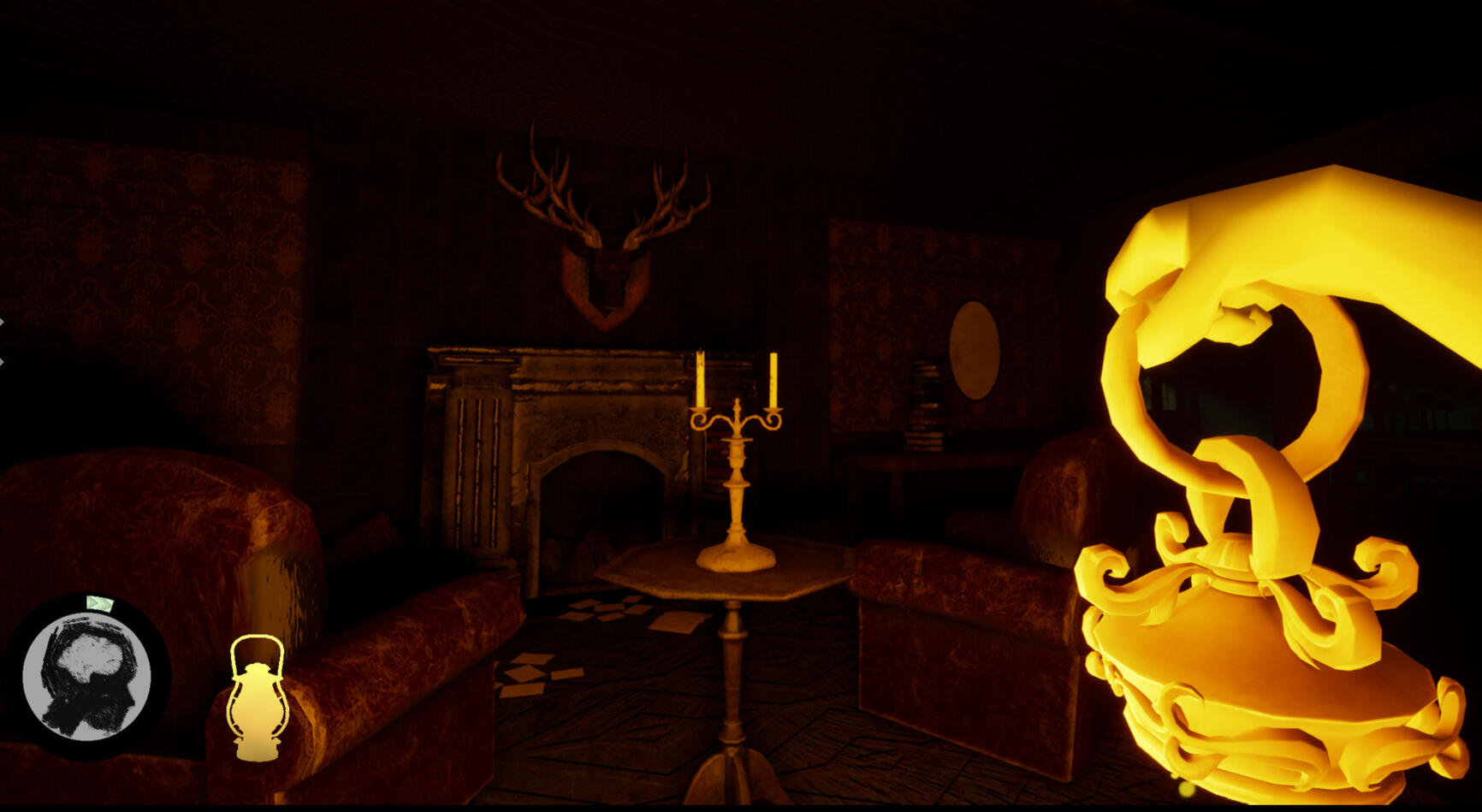
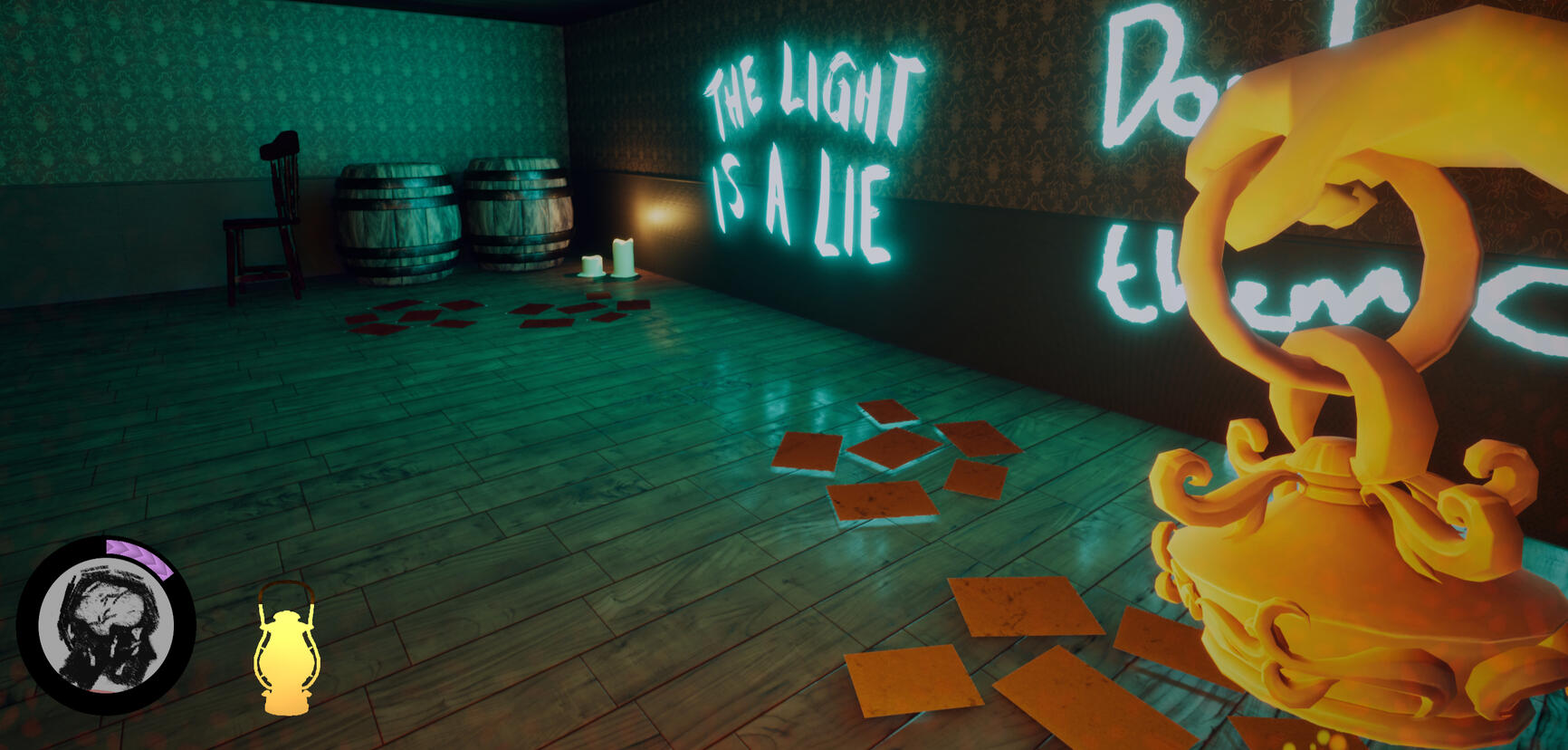
This game was created though Unreal Engine as a senior capstone project for Rensselaer Polytechnic Institute's game design program. Within my student-led indie dev team (In the Dark Studios) I was our Lead Sound Designer; this made me in charge of all sound design, foley recording, VA direction, and audio system implementation. All sound effects were recorded either using Avid Pro Tools or designed using FL Studio, with Wwise being used for programming and implementation.Lantern Light is one of the official games representing the NY State Pavilion at GDC 2026 in San Francisco.Synopsis: Lantern Light is a first-person action/horror/puzzle game set within a manor overcome by corruption and twisted monstrisities. Armed with only an axe and the fragile glow of your lantern, you must tread along the verge of madness while traversing through the dark. Use your resources wisely as you swap between combat and working through environmental puzzles. Keep the light alive, preserve your sanity, and confront your deepest fears to see what truly awaits for you in the darkness.

Music & Tech 2 Project Blog
Welcome to my blog! Here, I will keep updates on both research and progress on my Music & Tech 2 Project, as a part of the course from Rensselaer Polytechnic Institute.
Topics of Interest
Papers that align with my interests for this project:
In the first paper, "Chorale" Violon Harmonization: A Practical, Compositionally-based System for Generating Live Harmonies, Christpher Tignor goes into detail about his transducer-based harmonizer midi rig, which pairs with acoustic instruments (such as the violin used in the primary example, or anything that can have a transducer pickup placed on it. I've been very drawn towards the idea of incorporating some sort of midi mechanic to alter my performance while playing acoustic bass, especially in some sort of complementary accompaniment such as it is used here. I found this paper to be a good insight behind the processes that may be used to create this kind of acoustic-electric joint performance environment in which one complements the other. It also goes into detail what kind of physical setup configurations could be used in terms of controls, which in this case settled on the use of a midi pedal board.
The second paper, Exploiting Mimetic Theory for Instrument Design, delves even deeper behind which kinds physical and psychological design choices make an electronic instrument "believable", and others not so much. It centers its focus around the creation and design iteration processes of a guitar-like instrument, along with highlighting what makes association between gestures and musicians' movements in accordance to what the listener would "expect" to hear how an instrument would react. I pulled this article because I believe that intuitivity of design would be a very important role if I were to make some kind of physically interactive system that could be incorporated into the live playing of an actual instrument. Being able to include something that not only visually makes sense to the listener, but feel reasonable and uncumbersome to the musician when combined with their existent playing is something that would need intricate planning, in addition to multiple different trials to see what kind of interactive system would work best.
Lastly, in Guitar Augmentation For Percussive Fingerstyle: Combining Self-Reflexive Practice and User-Centred Design, the author delves into the concept of augmented guitar designs, specifically ones that complement the "percussive fingerstyle" technique. As I would like to try and incorporate my usual jazz pizzicato style on an upright bass into my project (which is an already physically interactive instrument), I notice that at times I subconciously make percussive accents rather than the intent one would have of producing a specific note on string contact. I could potentially incorporate this into a more intentional act of creating an interactive, percussive interface on my upright bass via mapping sensors or transducers that can detect the velocity of a note and output a desired accompaniment to what was intended.
Progress Update #1
Updated 3/14/26 (Proposal):
As of right now, I am doing further research to try and decide which program I want to utilize in order to create a functional prototype of my project. My potential candidates at the moment are Max MSP and Chuck, with the latter being something I have very little knowledge about. As for what I plan for my prototype to be exactly, I don't expect myself to be able to incorporate the hardware needed to connect my upright bass to a programming language for a fully-functional system. However, I'm curious if I would be able to emulate this system by connecting a microphone or a midi keyboard to a programming language instead.As for what I plan for my prototype to be, I will be making a program of some sort that can react to analog transducer inputs. The idea is that it will have the ability to detect either the velocity of a note/velocity of contact with an interface, and depending on that value, producing a note or sound which corresponds with that assigned number (most likely of a percussive manner, however, there's potential for me to play around with the actual signal itself). As of right now, I have already made a sample pack of various sounds from a live drum kit, which I would like to try and incoorporate and map into the playback of my prototype. I am now in the phase of trying to decide how exactly I plan to attach these sounds to select parameters, in addition to what the best program would be to base this system off of, especially if it's for the sake of having the ability to be used live. On one hand, I have more experience using Max MSP, but I am aware that Chuck has the potential to work as well. At the moment, I need to determine which program would work best for me, and if it's Chuck, I have the additional learning curve of learning a language that I am very unfamiliar with.I've linked below the drum sound sample pack that I've created for the purpose of this project, using raw recordings from a live drum kit. This was recorded using RPI's HASS Media Studio in DCC 174.
Progress Update #2
Updated 3/27/26 (Further Research/Planning):
Currently, I am attempting to learn how to use Chuck as an attempt to use it for this project! I've begun following basic video tutorials on its core concepts, and practicing via the miniAudicle. Even though the project I will be most closely referencing had its project based in MAX and Ableton Live, I figured it would be worth a shot to try to learn and adjust to a new programming tool, as I've take an interest in Chuck. The main challenge with this, will likely be learning how to integrate my MAX knowledge to try and determine how to translate that thinking into a new programming language. Currently, my skills are still very basic in Chuck, so I've been working on becoming more familiar with some of its syntax.As I become more familiar with chuck, I've been looking deeper into some of the sources that were written down in the paper I selected about Guitar Augmentation for Percussive Fingerstyle. In the prototype used in the basic testing phase, the author used a setup involving 3 piezo pickups threaded through high capacitance piezo preamps. High capacitance is a must in order for the detection to work properly, and Ideally I'd like to have piezos located on one beneath the fingerboard of the bass, one on the front of its body, and maybe one on the shoulder of the instrument. I've looked on amazon for some potential piezos I could use, and I haven't been able to find any direct setup involving a 3-way piezo pickup system. meaning, I'll likely have to make it myself. For this, before I made any purchases on piezos and preamps, I've begun a small side project of researching the ideal way to solder together a 3-piezo pickup system that would be suitable for this project. I've linked some papers that would potentially be useful in this search to this page, as I've saved them for reference for the future.Something I am considering for the future of this project as well, is the potential likelihood of using Wekinator to determine gestures between the things that I am playing on upright bass, especially as I aim to trigger certain samples depending on what I do. There will need to be a minimum threshold of my playing, as I don't want sounds to be triggered for every little gesture I do. Rather, I want my system to be able to pick up intentionally percussive noises, so I can add to my playing, rather than hinder it. I am currently looking into a Chuck/Wekinator combination of programs to replace the project's inspiration topic's use of Max/Ableton Live.
Progress Update #3
Updated 4/10/26 (Prototyping)
My goal for this step was to have a functional code prototype for the base concept of my project; specifically, I want to be able to have my patch read an incoming signal/input, and run it through a check to see if the volume level reaches a certain threshold (a variable that I'll be able to adjust based on sensitivity). I am typing this while prototyping in ChucK to log my thoughts as they pop up.I was able to find an example in ChucK's examples folder called follower.ck, which seemed to be able to use a power envelope follower to read amplitude levels. I was trying to look up further details on how the math behind it works, but I haven't been able to find an explanation to the specific math which allows the OnePole filter to track the amplitude levels. All I know is that this code is very reminiscent of what I am trying to achieve, and seems like it could be a reasonable option to assist in my patch. I have been able to adjust some of the numbers and add my own lines of code to fit my specific needs, in addition to adjusting the sensitivity.It took some attempts/trial and error to figure out how I needed to trigger things, but it works! I'm using ChucK's built-in impulse to be the sound that is triggered right now as a placeholder for a drum sound, but I no longer believe that I need to use Wekinator as an integration tool, as I can track the volume triggers on my own with code. I was using my bass guitar to test this system out, due to ease of access. Here is what my code looks like at the moment:
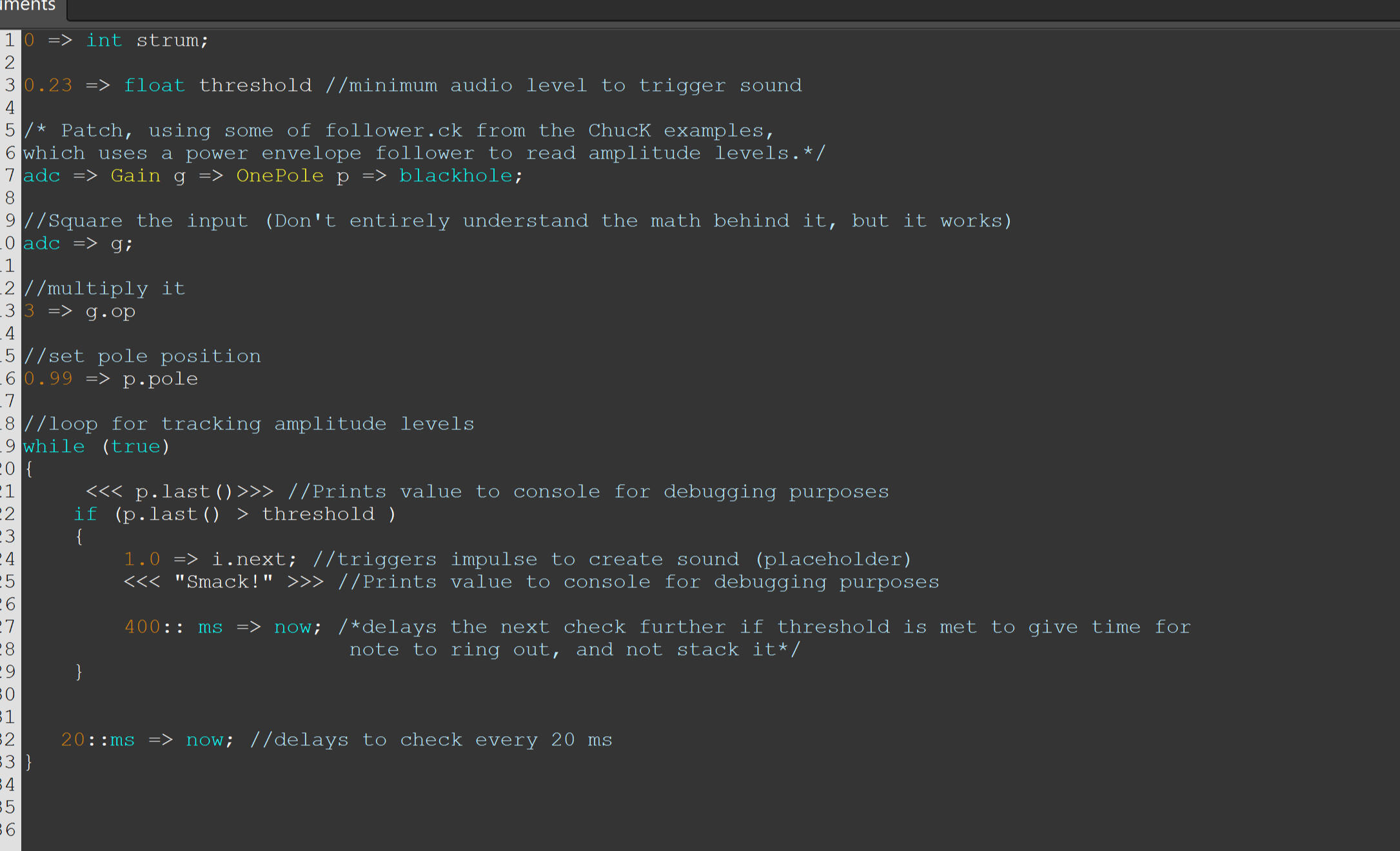
My next step now, is that I'm going to try and trigger one of my drum samples using this program, replacing the impulse response placeholder I've set previously. I learned that the sample just needs to be in the same directory of the ChucK patch itself in order to be able to access it. I've just taken my sample of hitting a snare stand from my drum sample pack (RG_SnareStand6), and substituted the impulse response with that.It works-- this step was much easier! However, I have come across one issue in particular that I'm not entirely sure how to fix. The program works as intended, but each time I open it, the Snare Stand Sample plays automatically and I don't know why (nor how to fix it). Here is my patch in its current state:
Future next steps for this project will be testing this out through plugging in my upright bass's currently installed pickup into my focusrite interface, and adjust things to see if I can get the sensitivity to function the way I've been able to with my bass guitar. Then if I'm successful with that, I'm going to try and see if I can also make the percussive sample sound have dynamics scaled off of how loud the sound of my smack is, after it passes the threshold I already set. Then, I'm curious to see if I can manage playing on my own with using this tool, and see if it feels intuitive! I may want to add variation for percussion sounds, or possibly add more piezos to different spots on my upright bass to be controlled by separate triggers, but for right now I'm excited that I seem to finally be getting somewhere.
Progress Update #4 (and 4.5)
Updated 4/17/26
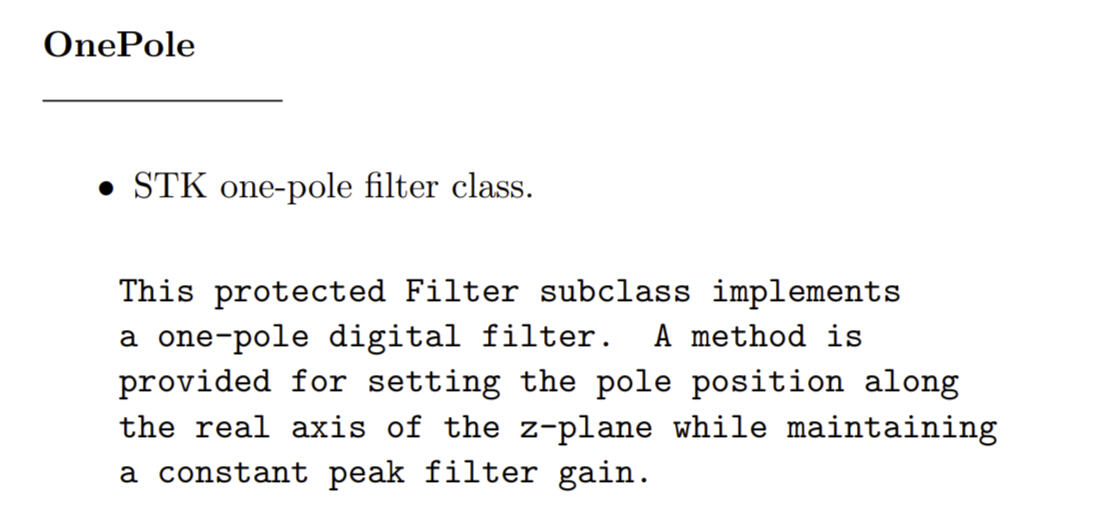
Right now, I've taken the time to further attempt to research the mathematical concepts behind the "follower.ck" patch that I have had difficulty understanding from earlier, before I move forward with adding on any additional code. In the comment of the original patch in which I'm borrowing from, the commented code mentions how it uses the OnePole UG as a "leaky integrator", which is terminology that I'm not familiar with. To start better understanding the term, I had begun to look up papers on the subject, and found this helpful page from research at Stanford:
In addition, I looked into more ChucK documentaiton in regards to understanding what was happening with the gain UGen object class when "follower.ck" mentions squaring itself, and multipying. See here, in my personal project which implements code from the patch:

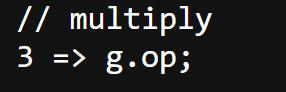
Basically, I learned that with ChucK, the default "Chuck" operation is 1, which creates a sum of its inputs. However, by Chucking 3 into g.op (op being the "operation mode" settings), it changes that setting from finding a sum (1), to multiplying the given inputs.

I also learned that it doesn't matter which order you put the assignment of the operation mode + when you actually use the chuck operand on Gain in the code- the output remains the same. So basically, the input is only being squared, because the gain operand was set to multiply; meaning, that once you chuck the ADC into gain a second time, you multiply it against itself. Because of this new understanding, I'm changing the comment in my code to reflect this new understanding of .op, to this:

My base misunderstanding of this is because of how the example patch ("follower.ck") had phrased the comment above when it the operand to 3. It was VERY misleading, and poorly worded. It quite literally just said "multiply". Due to this, I thought the 3 must have been some sort of relevent numerical variable that was assigned to some kind of unit of measurement connecting to the incoming signal.
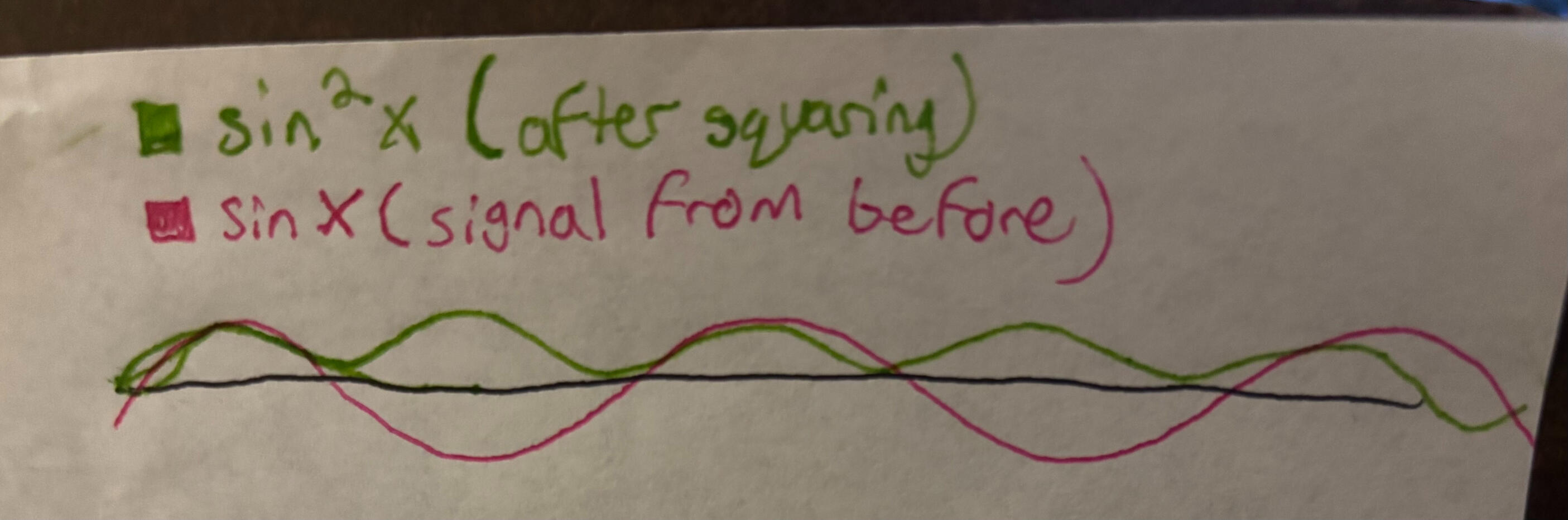
As for how the rest of the math works/ why we are multiplying the incoming signal against itself in the first place, I also have a better understanding of that now. By squaring the sample, it automatically transforms all of the incoming values into positive numbers. This is basically getting the absolute value of where the sample lies, as there is no mathmatical operand in Chuck that I've been able to find that can just manually take the absolute value. Since we are measuring amplitude, and the values go from 1 to -1 by default, we can scale everything to positive values via squaring. We can then say that all samples will be 1.0 or smaller (but not below 0), and then calculate the area under the curve in order to get a calculated loudness or "gain". Here's a diagram I sketched out of what ChucK is doing here, using sin(x) and sin²(x):
Updated 4/20/26 (4.5)
I've also been able to do some further diving into the purpose behind the OnePole filter that I'm using, and finally understand what's happening here. Basically, once my squared signal is being sent through the OnePole filter, it smooths the signal out to something more consistent/measurable. Then, based off of whatever float I set my threshold at, I can calculate when my "gain" follower envelope passes that value, thus triggering my drum sound that I've programmed in. In order to help visualize this, I ran a test of my program, printed relevent numerical measurements from the ChucK console onto a txt. file, and then exported my data onto google sheets to make a visual graph of information. The lists of values I measured show data points from the original incoming signal, the same signal after it gets squared in the ChucK program, and then lastly, the signal after being run through my OnePole filter. Below, I've linked a log of my gathered data points, as well as a visualizer of my data in the form of a line graph.
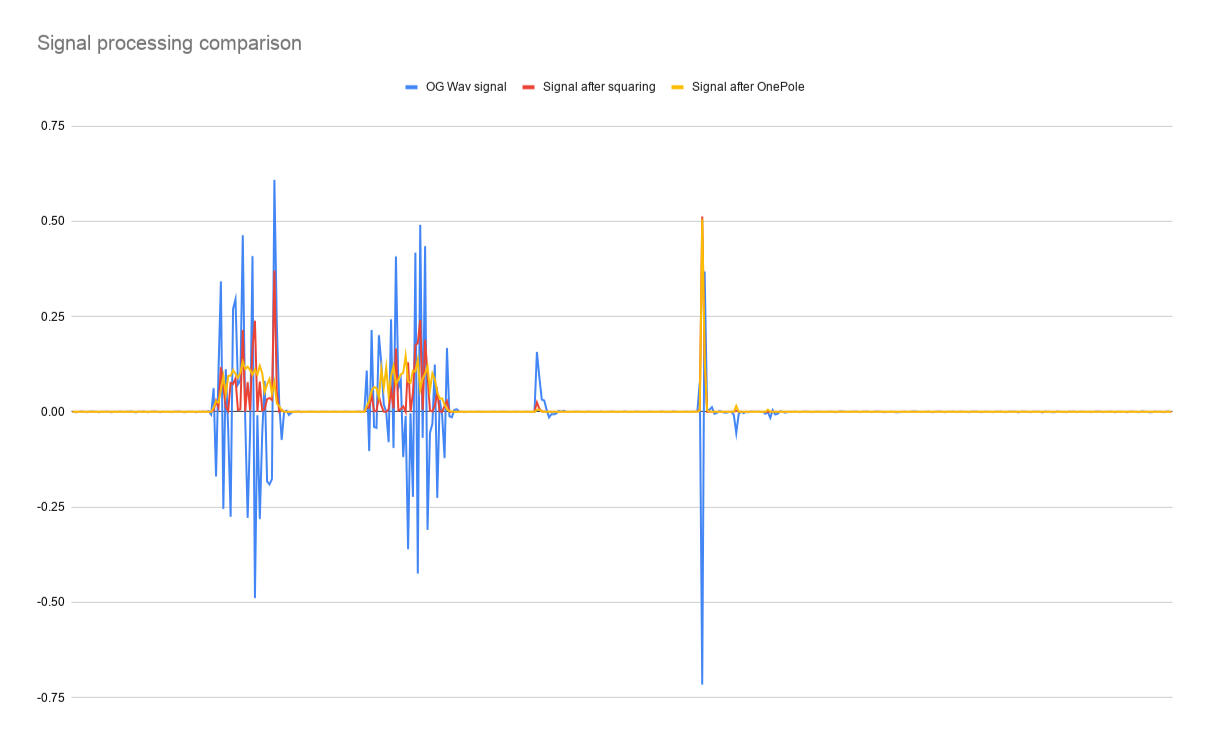
As you can see in this graph, the concepts I've been discussing are proven, as all elements are there: The original signal has sample values both positive and negative initially. Then by squaring the values of those points, we get an "absolute value" estimate of our gain curve, causing every data point to appear as a positive value. Lastly, our OnePole smooths everything out to a more consistent curve, making the measurement of our "gain" envelope follower more precise, and therefore less likely to trigger a "smack" by accident. This is a very simplified version of the same DSP that's often used in voice processing to help make voice signals louder than background noise, as it only allows data to continue through after a given threshold before making modifications to it.
Next Steps:
Now that I fully understand both the follower.ck patch and the math behind it, I will be moving onto the next steps for my project- primarily, adjusting the samples themselves depending on my bass playing. Some features I will be working with will be:- scalable output volume on sample gain, dependant on how far the "smack" trigger is past the given threshold-Further prototyping to see how comfortable/intuitive it is for me to play while using my patch on my upright bass-BONUS: If time allows it, figure out different threshold settings to make different percussive noises (I.e., if sample value "x" falls within the equation {threshold < x < a}, play a specific sample at its scalable volume, but if it falls in the equation {a < x < b}, play a DIFFERENT sample at its scalable volume).I'm really beginning to get more excited with this project the more that I work on it. Even if class ends, I plan to look into making my own multi-piezo pickup setup to run with this program, ideally tracking threshold values from different spots on my upright bass. Then, with this method, I'll be able to test and attempt a multi-input system that can be utilized by this patch, and hopefully be able to provide my own percussive accompaniment to my bass playing.
Progress Update #5
Updated 4/25/26
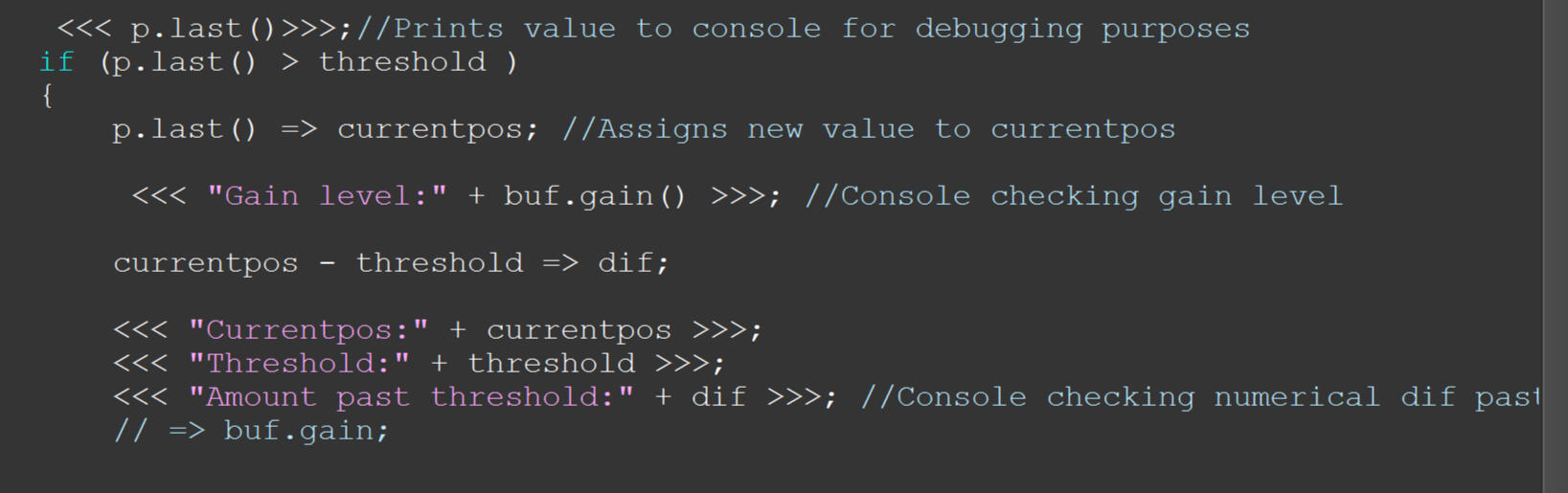
Last update, I had gained deeper knowledge and understanding of the systems in play behind my ChucK code and how they were used. Additionally, I had a functional prototype in which I was able to use my bass guitar to play through my ChucK patch, detect if any notes were intentionally past a certain threshold through an envelope follower, and if so, trigger a predetermined drum sample that I recorded. My next phase of this project was to begin determining how I could possibly add some more expressivity into my system, and it seemed like a good place to start for that would be the ability to scale the volume of my "smack" sample based off of how far past the volume curve threshold the signal was detected. After having a discussion of how to go about this with my professor, I came to the conclusion that I would need to calculate the scale of this "volume expression" parameter through some means of manual calibration. For this, I temporarily added some console message checks so that I could easily track things such as the current position on the OnePole filter (specifically, the position that triggers the "smack" sound), the threshold I currently have set in my program, and the value of just how far past the threshold the triggering position currently measures at.
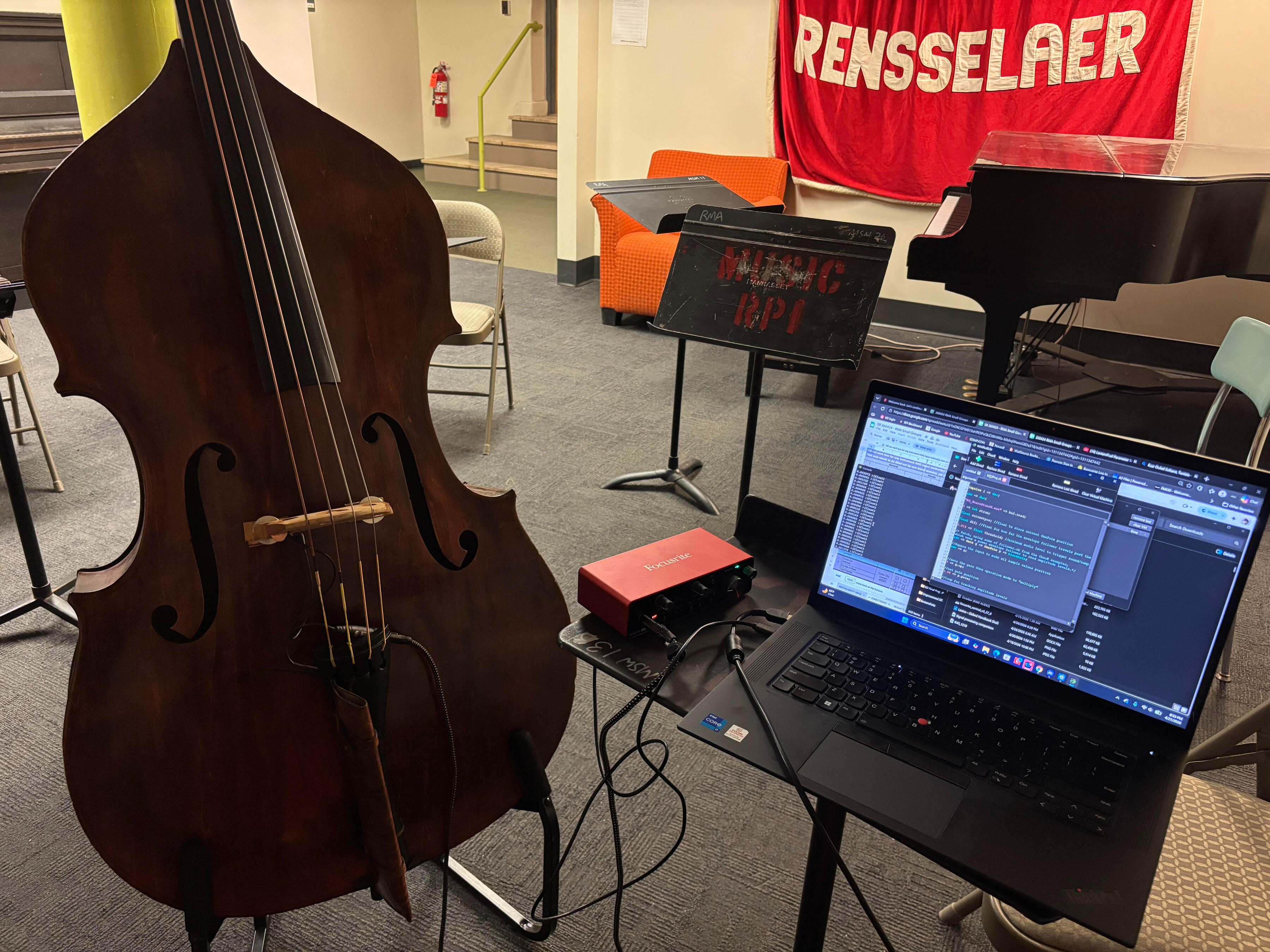
Before I got too far into planning the calculations, I knew that it would only be helpful if I were to hook up my upright bass to my current system. So, I patched it in for the first time, connecting it via my personal focusrite interface. Once I was able to get a proper signal to be detected, I began to work with the parameters from inside my patch, and began adjusting them to determine just how sensitive I needed my threshold to be. However, this is where I began to not run into my first bug, per say, but my first technological issue.Due to my current string set up on my upright, I have some strings that move far more than normal bass strings would. My lower two strings are copper alloy/gut hybrid strings meant for jazz playing, and this causes a much louder projection whilst I play. This I found to accidentally trigger the "smack" function much more often than I would have liked. Unfortunately, this discovery meant that I would need to pivot with my plans, and instead of figuring out the next steps towards volume expression, I would need to reimagine what it would take for me to cause the drum sample to trigger only when intentionally trying to make it so.
What I will be now looking into is to try and see if there is a way to try and read the frequency content of the incoming signal from whatever notes I play, and use that data (plus envelope and threshold level) to determine whether or not what is being played has a central frequency, or if it's more akin to a transient "noise" (think [bonk~] from MAX Msp). I'll leave this update here for now, and likely will continue writing this entry with an update 5.5 if I make any progress in figuring out a solution to this new issue.
Updated 4/27/26
I was able to find a Chuck example patch that shows some promise in helping me determine the difference between this bonk/smack, and an actual note. In particular, I found a Chuck example patch called PitchTrack.ck here's a link to the patch page from Stanford's ChucK website:
This ChucK patch has a function that uses ".get()" to recieve all relevent information in regards to the pitch tracker, itself- though the feature that I will be focusing on in particular is its ability to gather "fidelity()" levels of the signal (ranging from 0 to 1). If a signal has higher fidelity, that means it has a more obvious central pitch or frequency (closer to 1), as if the fidelity is low (closer to 0), then there is a higher likelihood for the signal to be "noise", and not an intentional note. Right now, I plan to try and use PitchTrack.ck's read on fidelity to make an "if/else" check to see if a note has high or low fidelity, and temporarily send a console comment saying either "this is a note" or "this is a SMACK!".
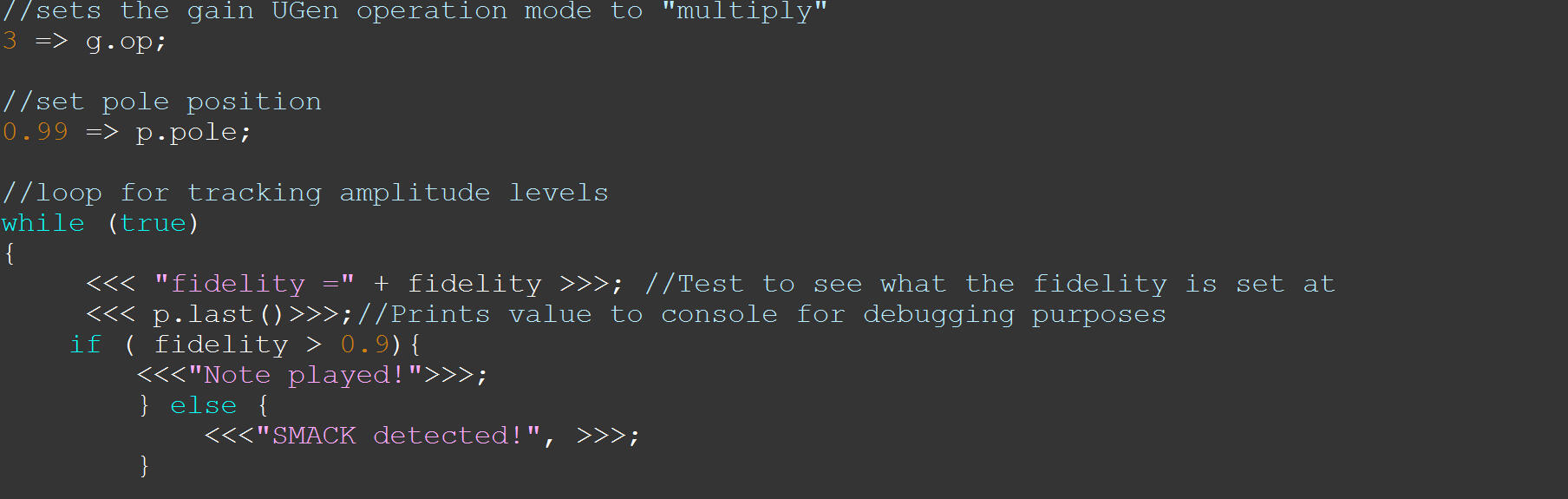
So... this unfortunately didn't work. I read through the description page/example code using PitchTrack.ck, and this is actually something that you can only either GET or SET a value of, as it works moreso as a fidelity "threshold", to determine how sensitive the PitchTracker will be when it comes to setting off an analysis. This is not what I want, as I learned quickly that I was pretty much just re-printing the threshold that had been already set as a default (0.95). I'm currently trying to see if there might be another way around this. So far though, no luck, and I can't help but feel like my project just went back to square one.
Overview
Da(ta) Bus was created in Unity as a submission for Wolfjam's 2024 Hackathon. I composed the music and edited the sound effects for this project using FL Studio and Avid ProTools.In this casual puzzle game, Connect the circuits to route Buster to his destination elsewhere on the motherboard. Be careful where you place your tiles; you may end up blocking Buster's path!

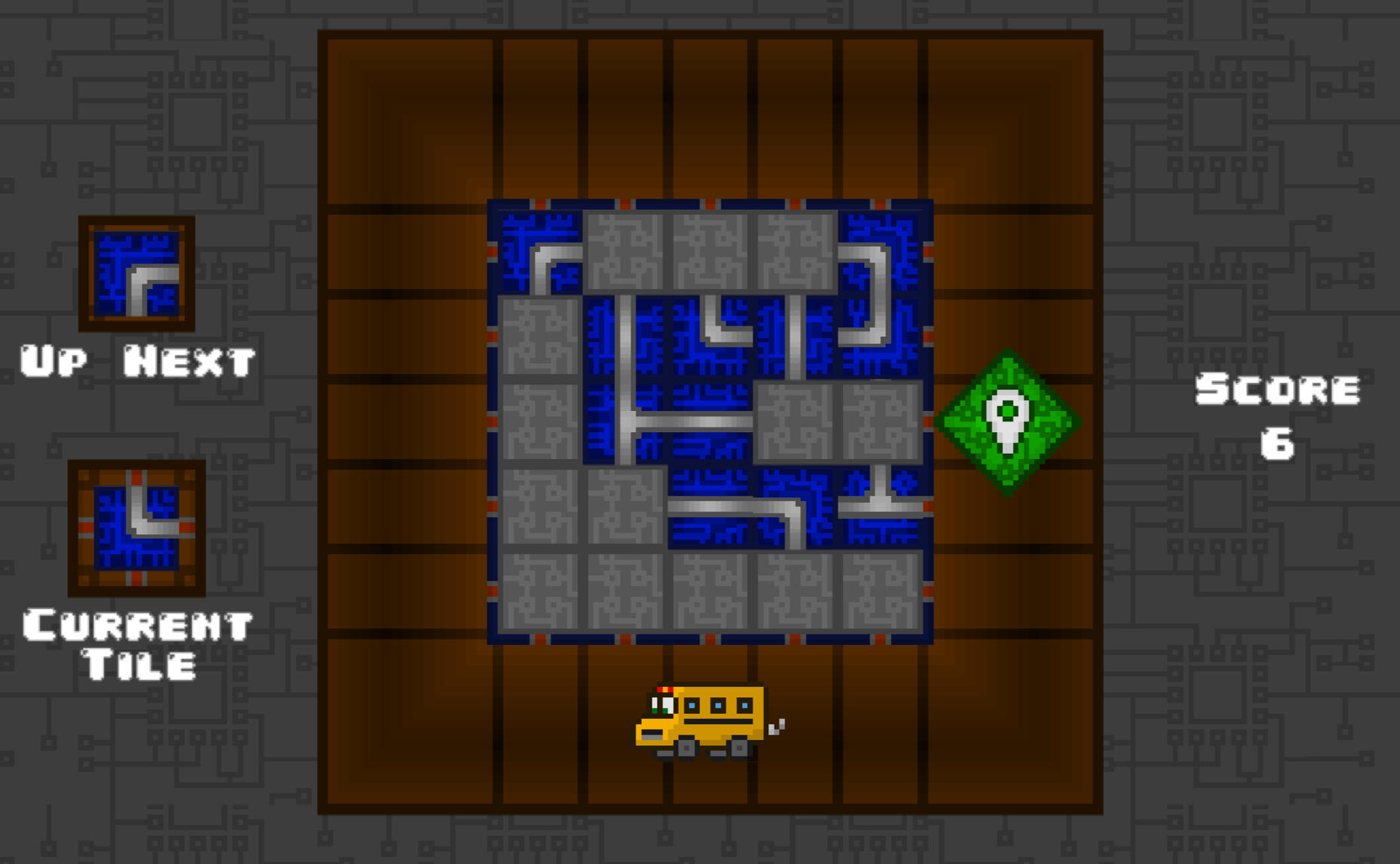
Overview
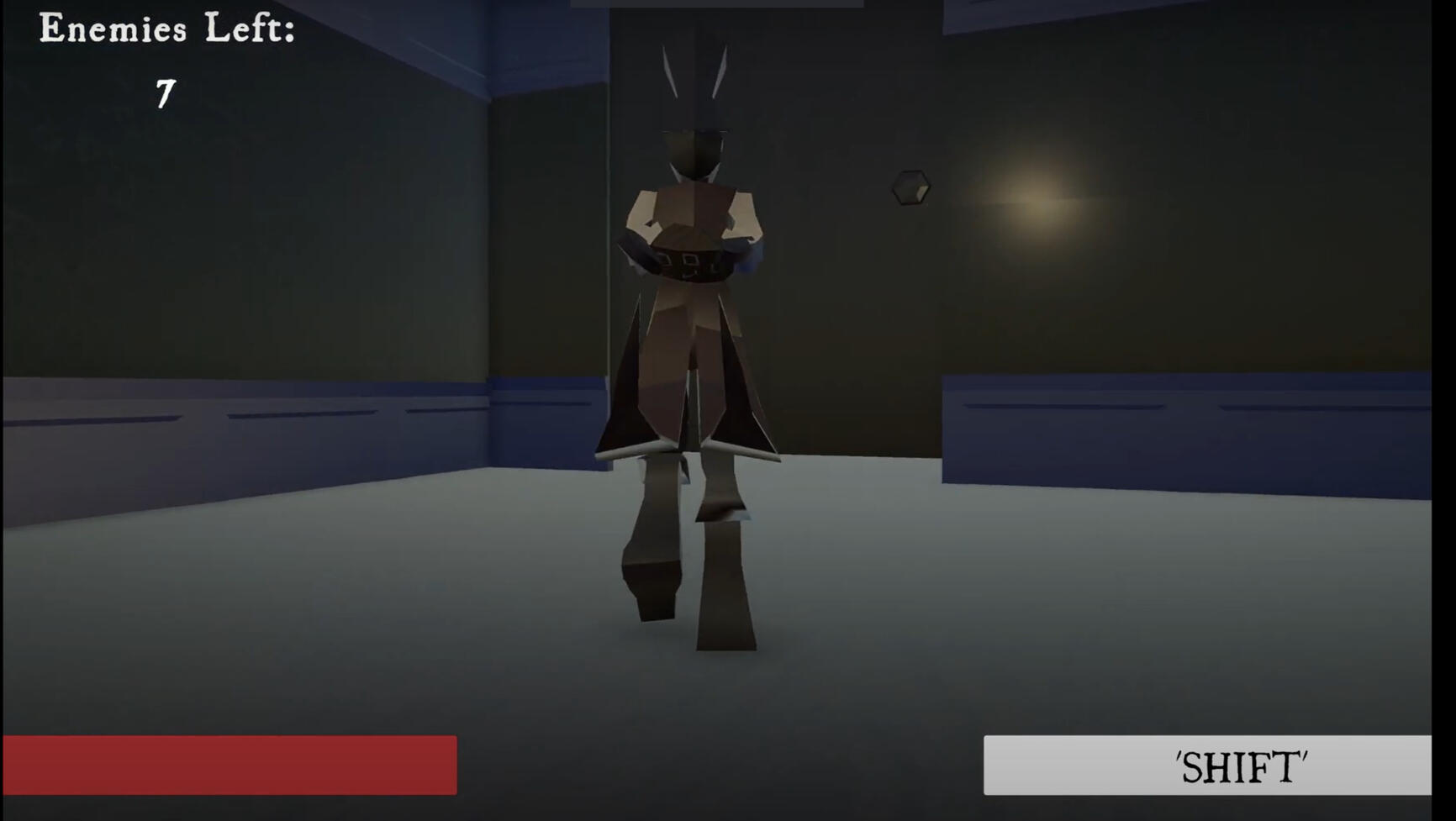
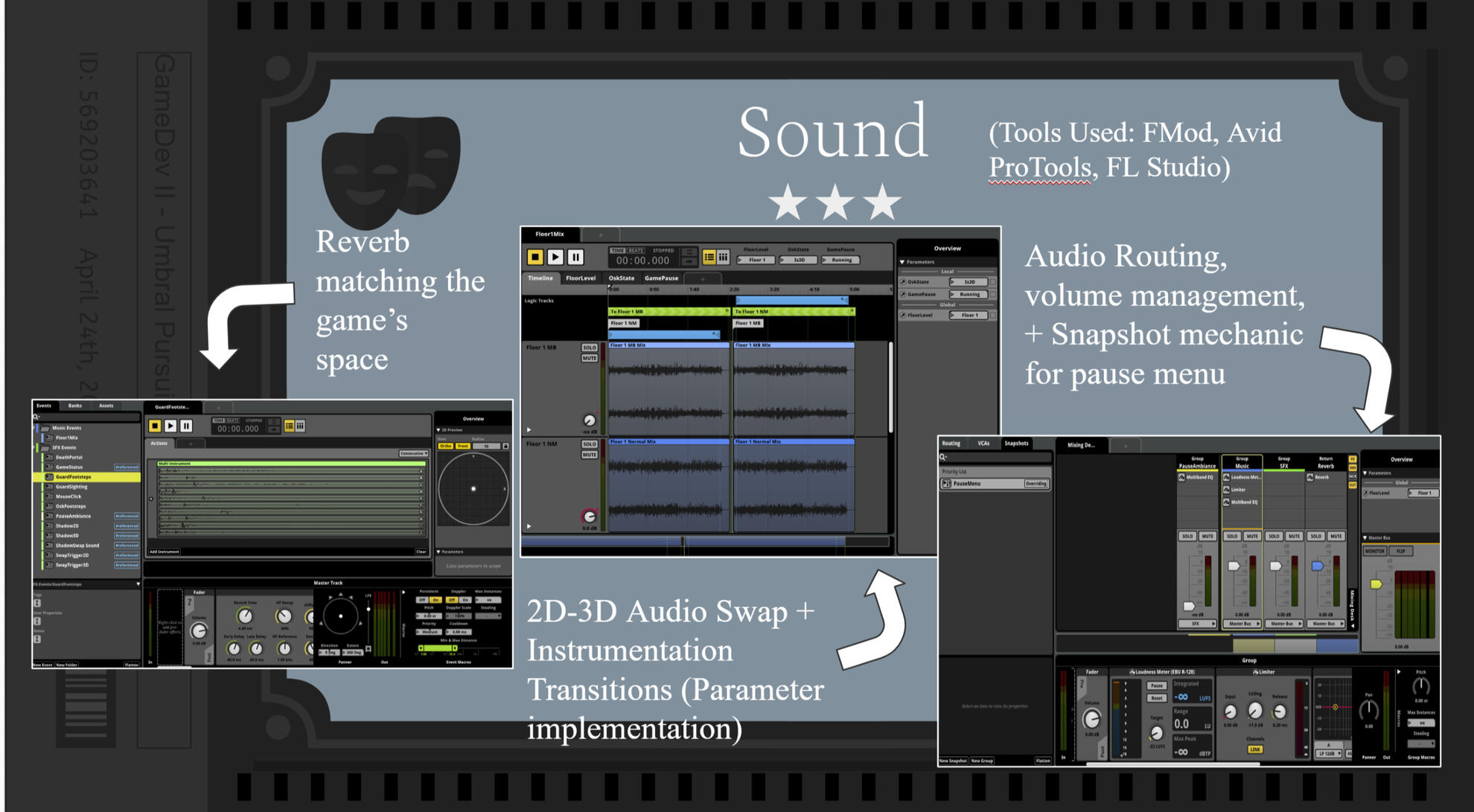
This game was created in Unity as a project for Rensselaer Polytechnic Institute's Game Development 2 course. I created and implemented all music and sound for this project using FMod, FL Studio, and Avid ProTools.Umbral Pursuit is a stealth based roguelike game where you play as Osk, the master of shadows. Reclaim what was once yours by sneaking around the Light Mage's mansion, morphing into shadows, and assassinating guards.
Experience
Rensselaer Music Association - Chief Audio Engineer
(2024-Present)
As the Chief Audio Engineer for the Rensselaer Music Association, I’ve played a role in both maintaining our student-run studio space, and training studio assistants on how to properly handle and utilize our studio gear. I’ve collaborated with over 8 student music groups in both recording sessions and live performances, and continue to maintain and run our studio schedule. Everything between handling studio bookings, equipment maintenance, choosing new gear, and the organization/cleaning of the space are within my domain.
Rensselaer Polytechnic Institute - Union Show Tech
(2024-Present)
As a part of the Student Union Showtech Audio Team, I help set up and run live sound systems at various events across campus. These events range from live music groups to student showcases, to guest performers visiting campus.
EMPAC - Assistant Audio Engineer
(2023-2025)
At EMPAC, I assisted with residential artists, exhibits, and performances through setting up audio equipment, recording events, and assisting front of house. I've also participated in past acoustic research, collecting various ambisonic recordings of our concert hall.